
User Interface & Core Technical Features
Explore the intuitive cross-platform UI designed for field technicians, senior engineers, and adjusting managers.
Location Management & Status Tracking
Gain granular control over active forensic assignments with device-agnostic portability.
- Matter Specifications: View critical metadata including Request Type.
- Manager Gatekeeping: Track project submission statuses before field data is officially processed.
- Location Notes & Mapping: Link physical site addresses with GPS coordinates.
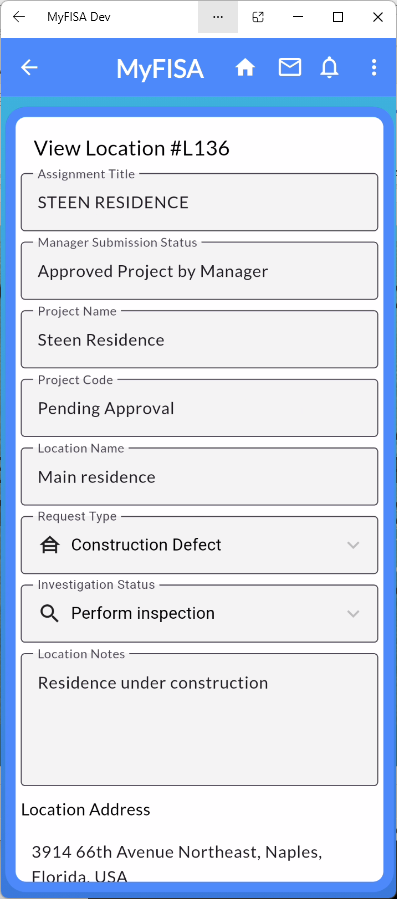
Figure 2.1: View Location Details displaying project status and request parameters.
The "Project Spine" Nested Structure
Eliminate loose image files and missing site documents. MyFISA enforces a uniform structure:
- 📂 Attachments & Layers: Store site maps, floor plans, and CAD overlays.
- 📂 Categorized Data Folders: Intelligent sub-directories for Property Data, Weather Records, etc.
- 📂 Locations & Reports: Track multiple site locations within a single parent project.
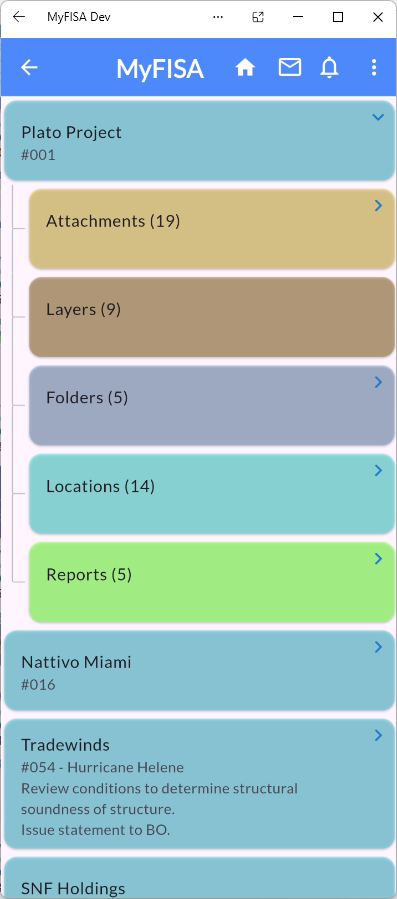
Figure 2.2: Nested directory view showing project folders and report sections.
Field Imagery Capture & In-App Markup
Annotate site photos directly inside the app without external image editors.
- Automated Tagging: High-resolution field photos are instantly tagged and timestamped.
- Native Red-Lining: Draw circles, arrows, and technical notes directly over images.
- Unique Tag Reference: Every markup generates a persistent anchor code.
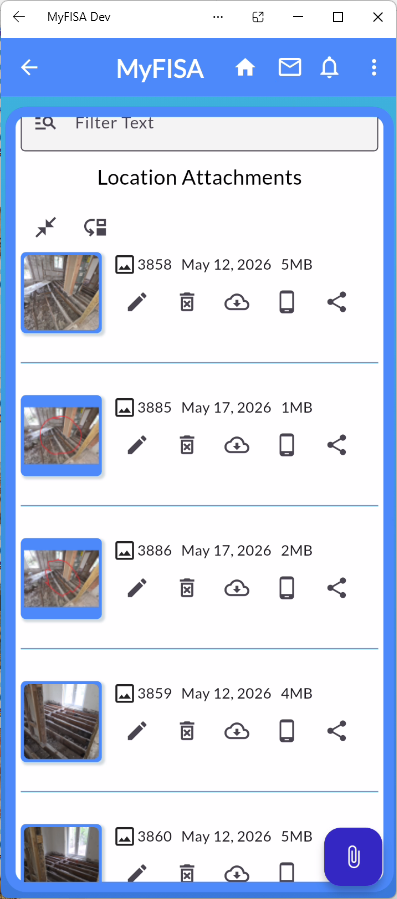
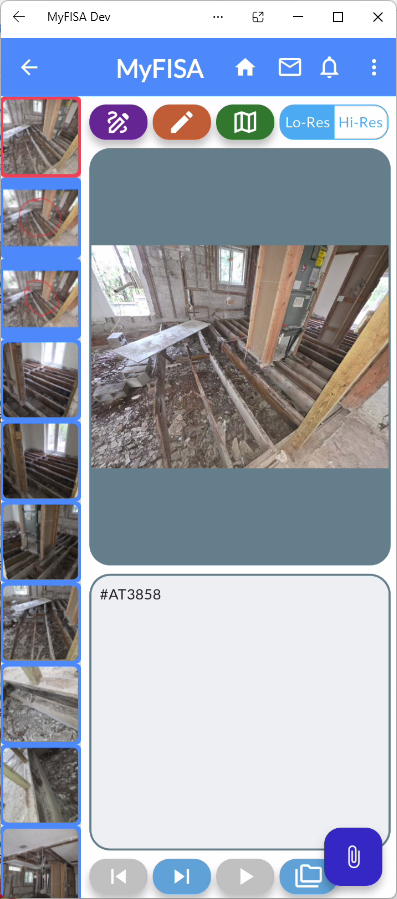
Figure 2.3: Location attachments list and in-app red-lining tool.
Integrated WindXpert ASCE 7 Engine
Eliminate context-switching between site notes and structural software.
- Contextual Drawer Integration: Launch Wind Calculations directly from the investigation location menu.
- Section 27.4.1 Wall & Roof Pressures: Calculates precise windward, leeward, and sidewall pressures.
- Section 27.4.6 Wind Load Cases: Analyzes shear and torsional moments for hurricane events.
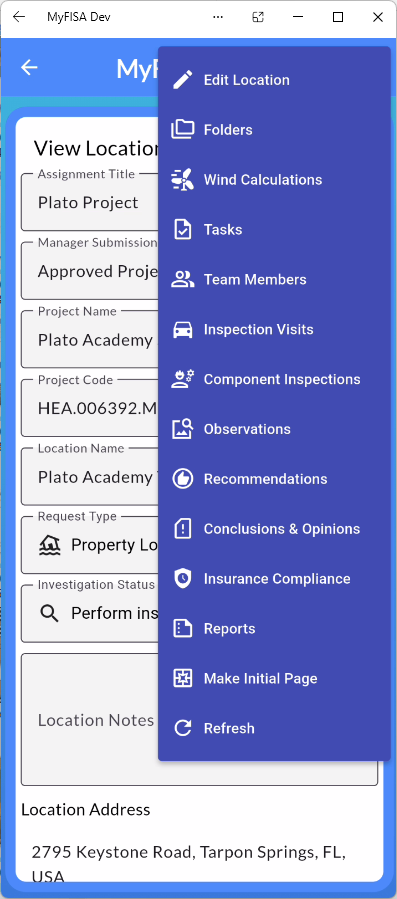
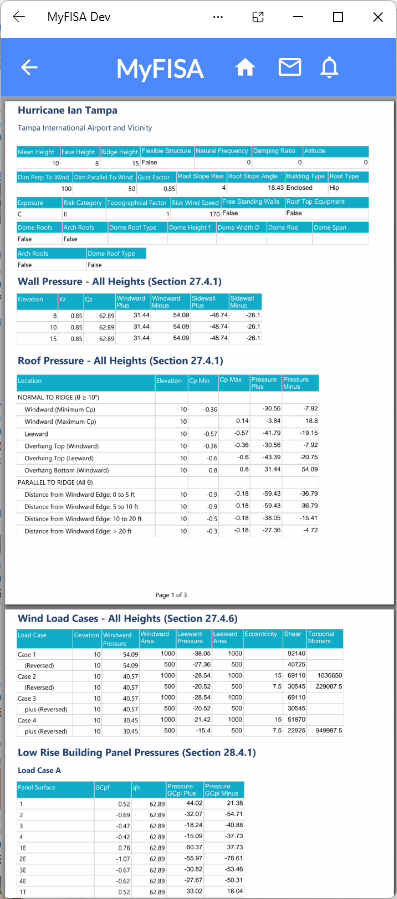
Figure 2.4: Contextual investigation menu and ASCE 7 calculation report.
In-App Expert Search & Master Table Config
Locate vetted engineers quickly and customize global firm parameters.
- Multi-Criteria Search: Query expert databases by Resume/CV text, discipline, or regional availability.
- Master Table Customization: Adjust system configuration for Company Types, Assignment Statuses, and more.
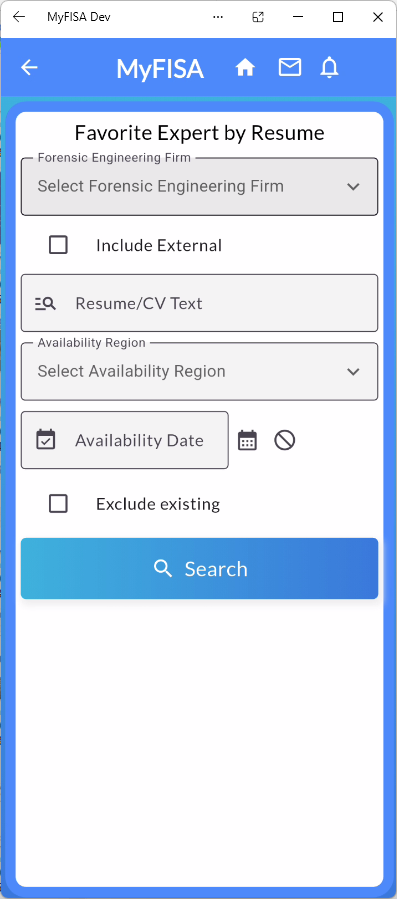
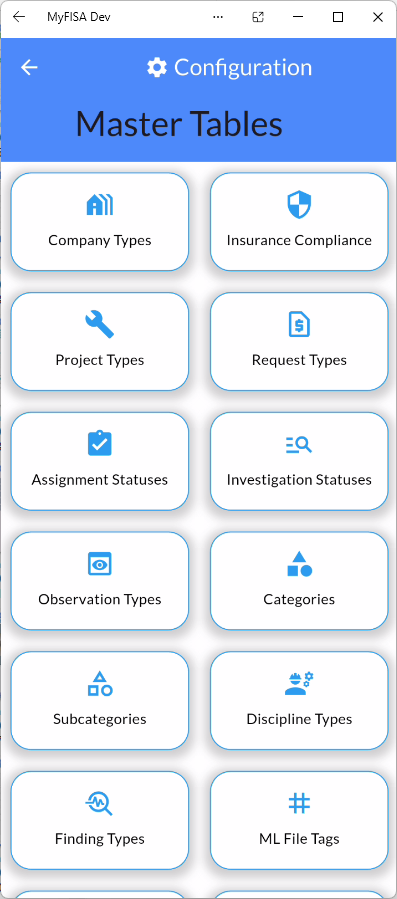
Figure 2.5: Favorite Expert search tool and System Master Table configuration dashboard.